CASE STUDY · MULTI-COMPANY WHOLESALER SELLING THROUGH SEVERAL STOREFRONTS
Add a product once, everywhere
Adding one product meant typing 58 details into every system by hand and getting them identical. Now it's one form, and every destination gets its own prices and categories.
THE PROBLEM
To add one new product, somebody typed the same fifty-eight details into every back office and every storefront, with different category codes in each, and a calculator open for the price ladder.
- 1entry, every destination
- 58details written per item
- 44spreadsheet headings recognized
- 4stores filled in one pass
The problem
“To add one new product I have to type it into every one of our systems, by hand, and get it identical every time.”
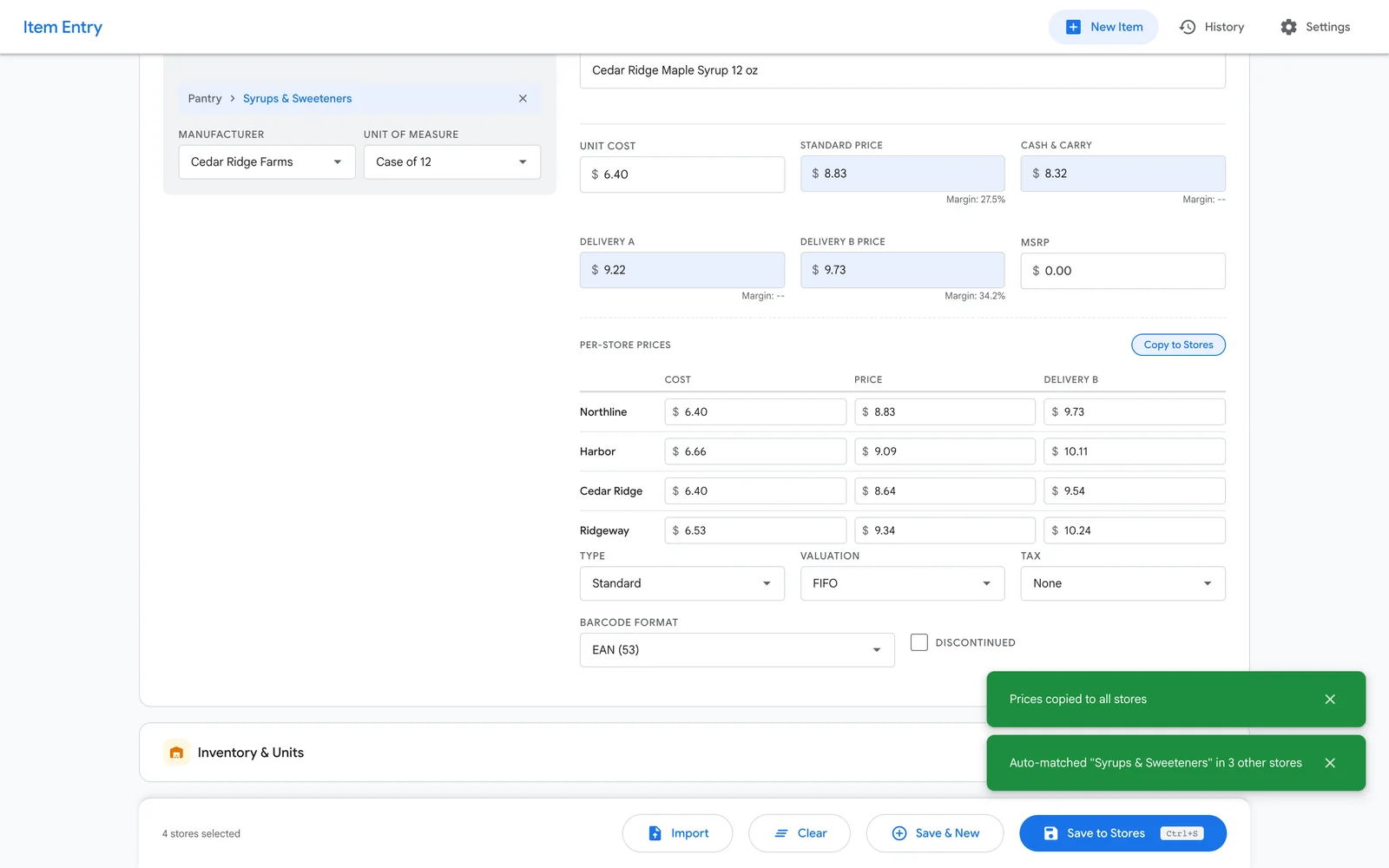
A product record has fifty-eight fields. Each back-office company has its own categories, its own manufacturer list and its own units, so four of those fields are different in every system even though it’s the same product. Each one also has its own markup, so the price ladder — cost, price, cash and carry, two delivery tiers, list price — was worked out on a calculator for every destination.
Then the same product all over again in each store: title, description, brand, type, tags, search listing, custom fields, collections, variants, weight, stock per location, and publishing to each sales channel. Plus watermarking the photos first.
It took most of an afternoon per product, and the duplicate barcodes it created turned up weeks later.
What we built
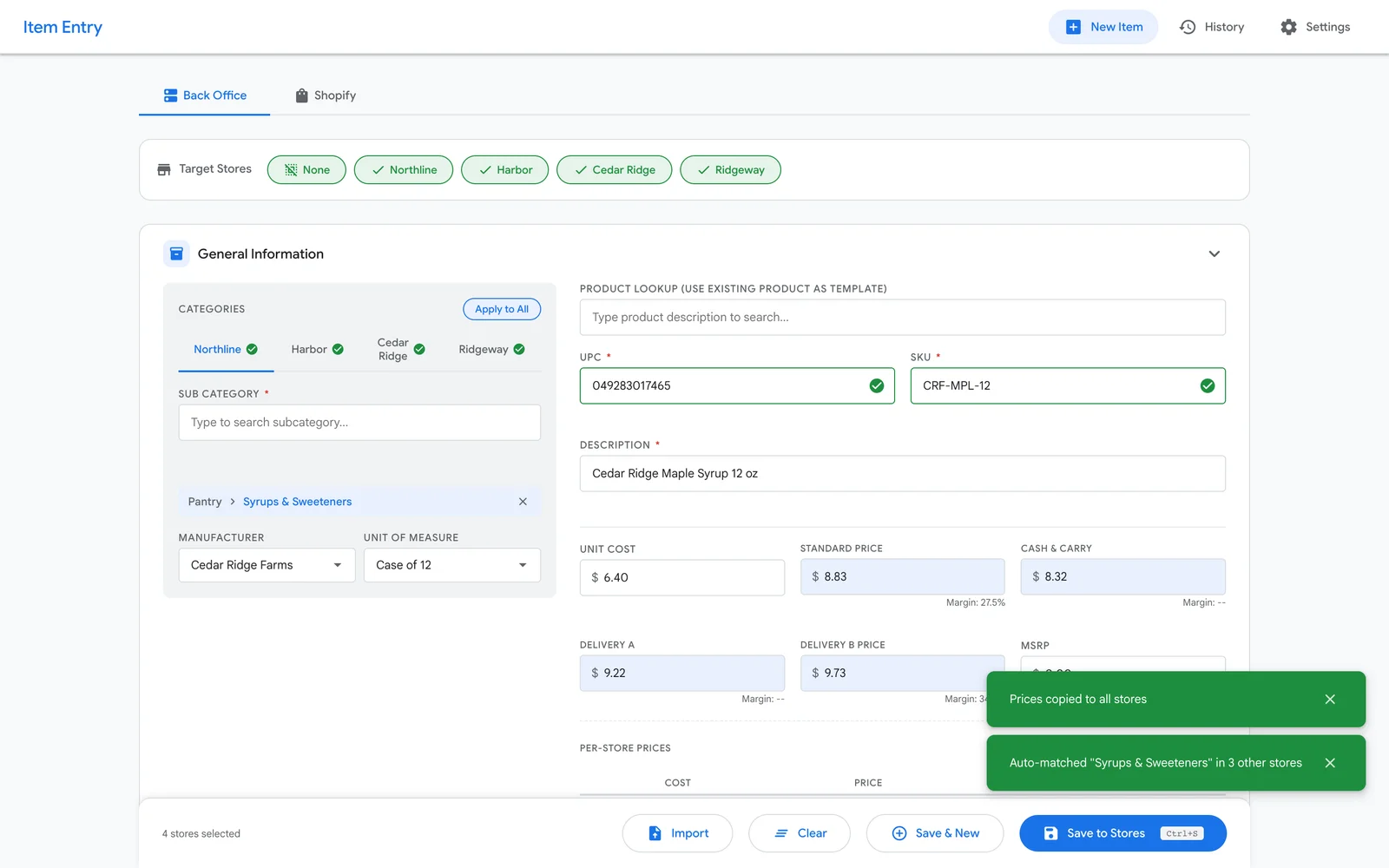
One form. Enter the product, tick the destinations, submit.
Prices are worked out rather than typed. Each destination has its own formulas, and every formula calculates from the base cost you entered — deliberately not from each other. If cost is 100 and the store’s rules are cost × 1.05 and price × 1.20, the price is 120, not 126. That one decision — no formula reads another formula’s answer — is what makes the numbers explainable to the person who has to defend them, and it’s enforced on the server rather than in the browser.
Checks happen before anything is written. Every barcode and product code is checked against every destination — an exact match, and separately a match on the first fourteen characters of the code, because this client’s codes share a stem across pack sizes and a stem clash is a real conflict even when the full code differs. A destination that already has the product is skipped with a specific reason while every other destination still gets it. Partial success, reported honestly, beats an all-or-nothing failure.
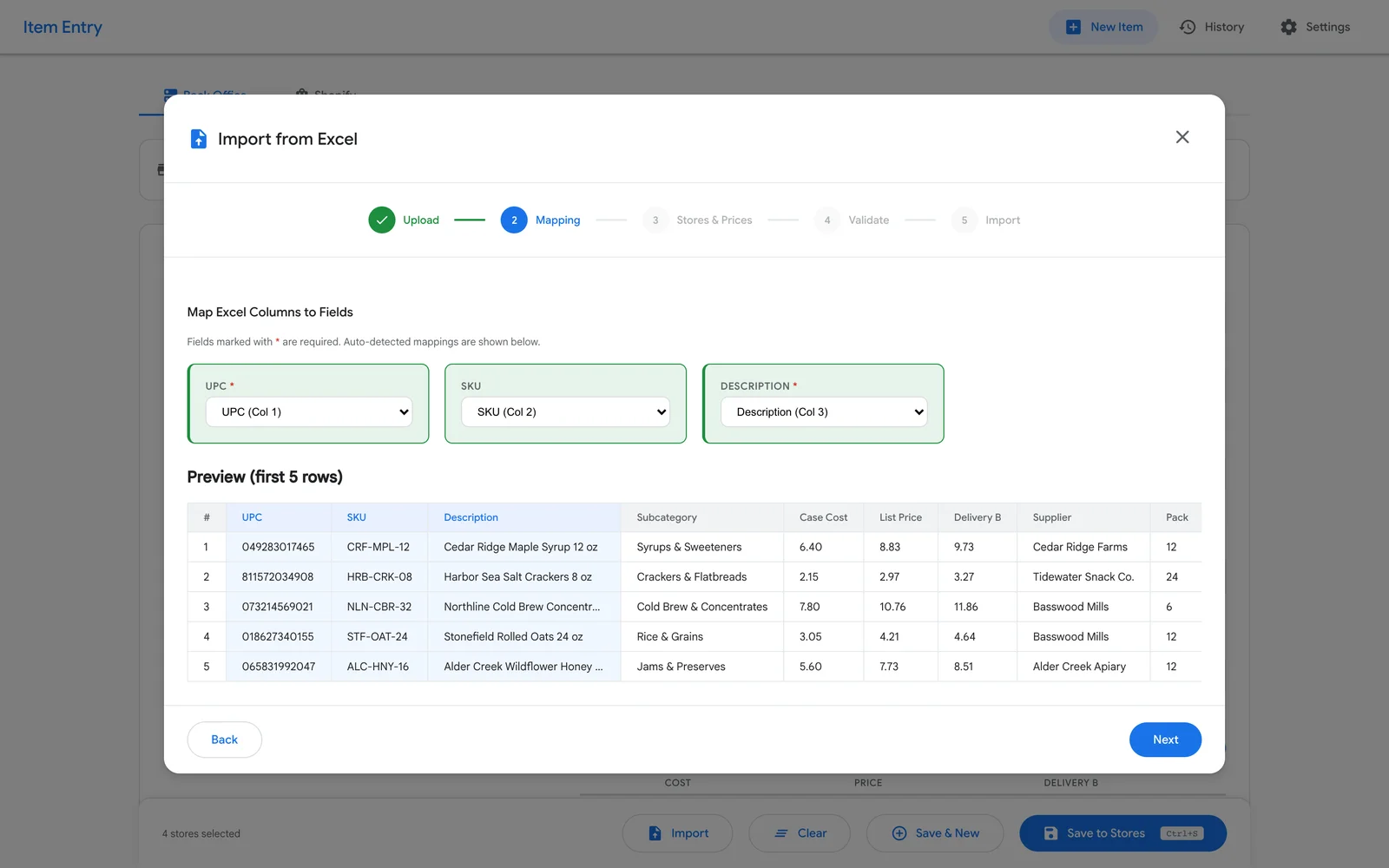
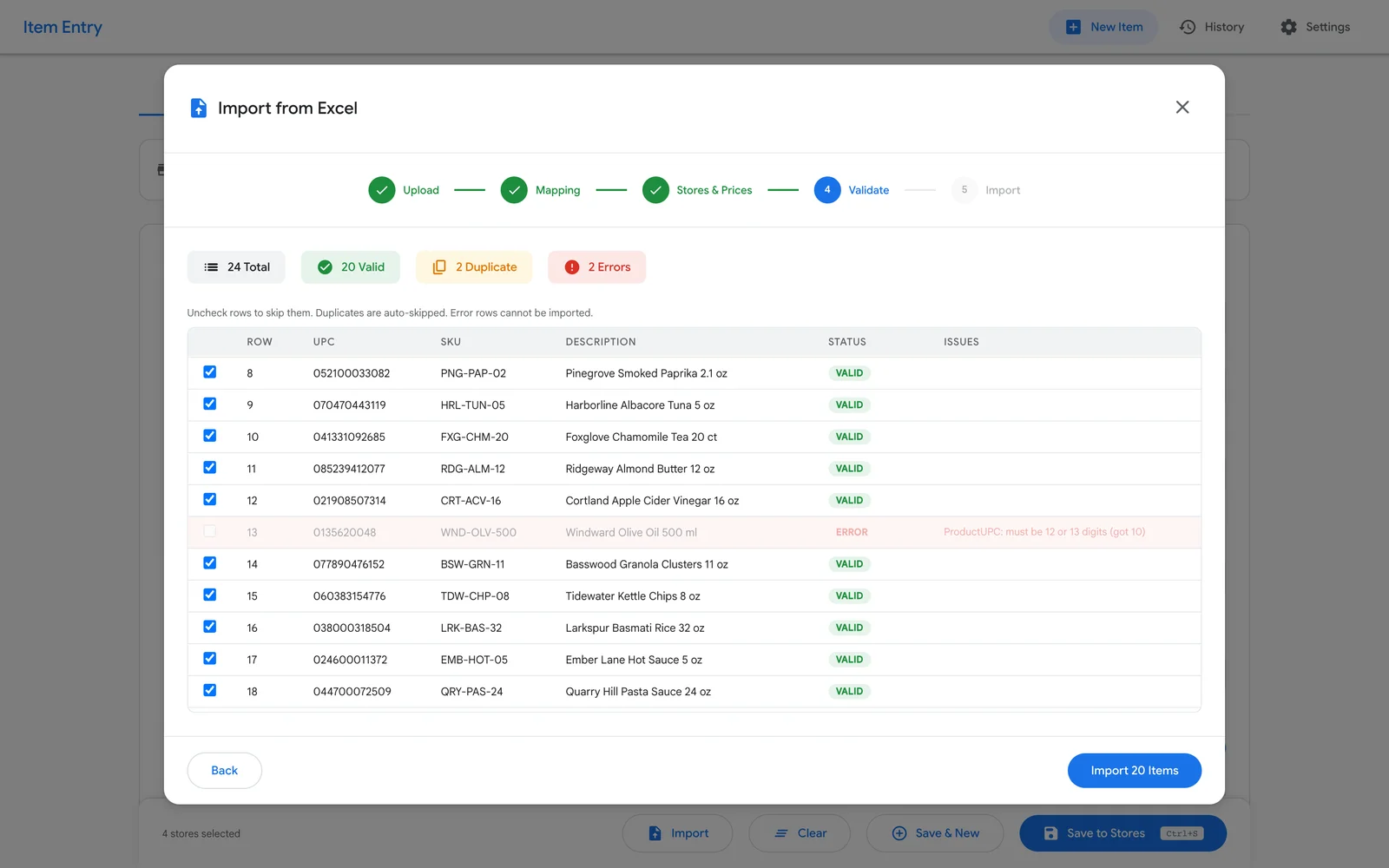
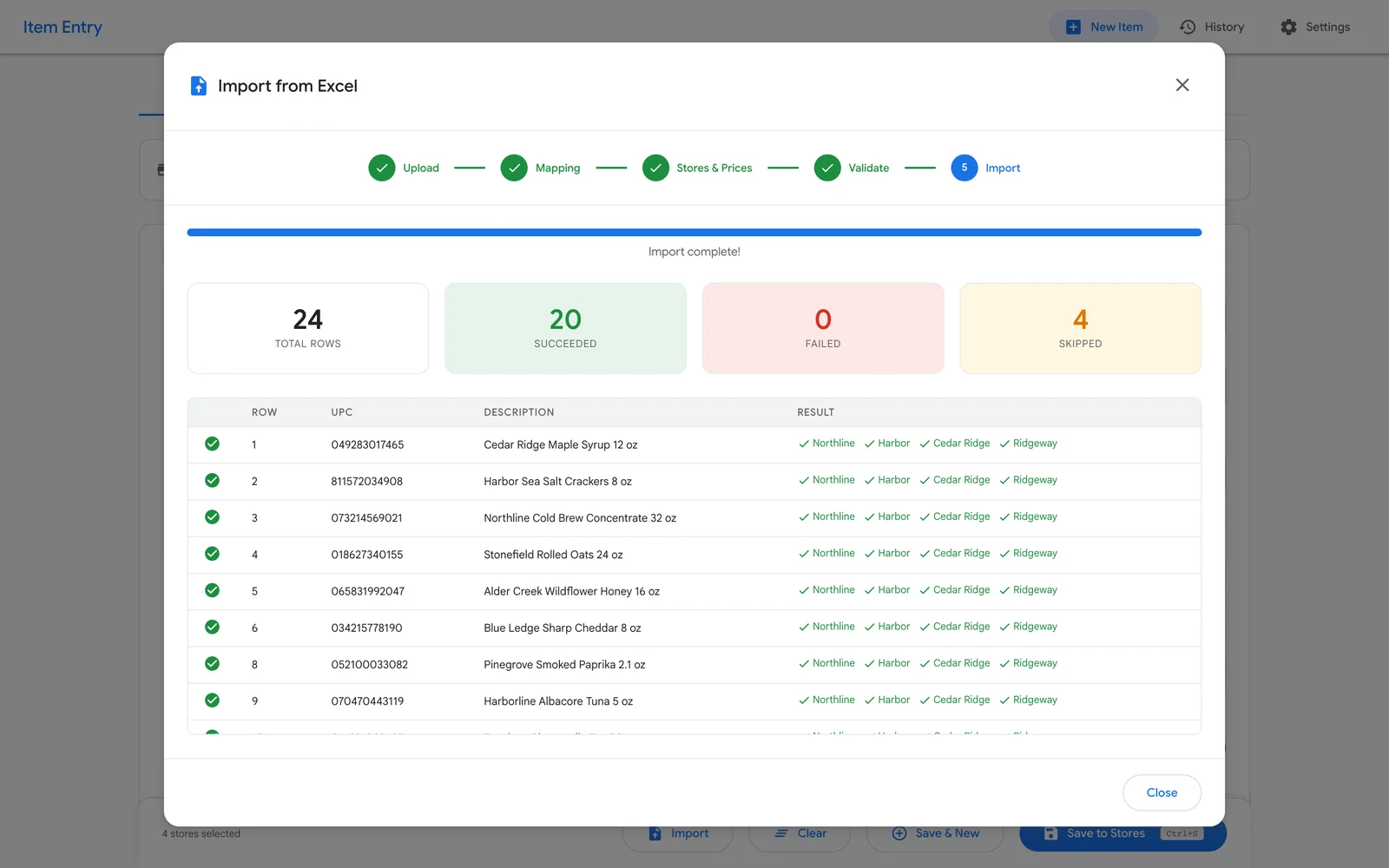
Two more things removed real hours. Sibling mode: give it an existing barcode and three new details, and it copies the whole fifty-eight-field record for each destination, zeroing out the stock and history. That’s how “add the sixteen-ounce version of this” stopped being an afternoon. And bulk import: upload a supplier spreadsheet, and the system recognizes its columns from forty-four different ways of spelling the headings, matches the categories per destination, and checks every row for duplicates — including duplicates inside the file itself — before writing anything. Imports run in the background with live progress, and every row goes through exactly the same path as a manual entry, so the same checks and the same record-keeping apply.
The result
Adding a product went from most of an afternoon to one form, with the price ladder worked out per destination instead of on a calculator.
Duplicate barcodes get caught at entry rather than discovered weeks later, and they no longer block the destinations that are fine. Supplier price lists are imported instead of re-keyed row by row.
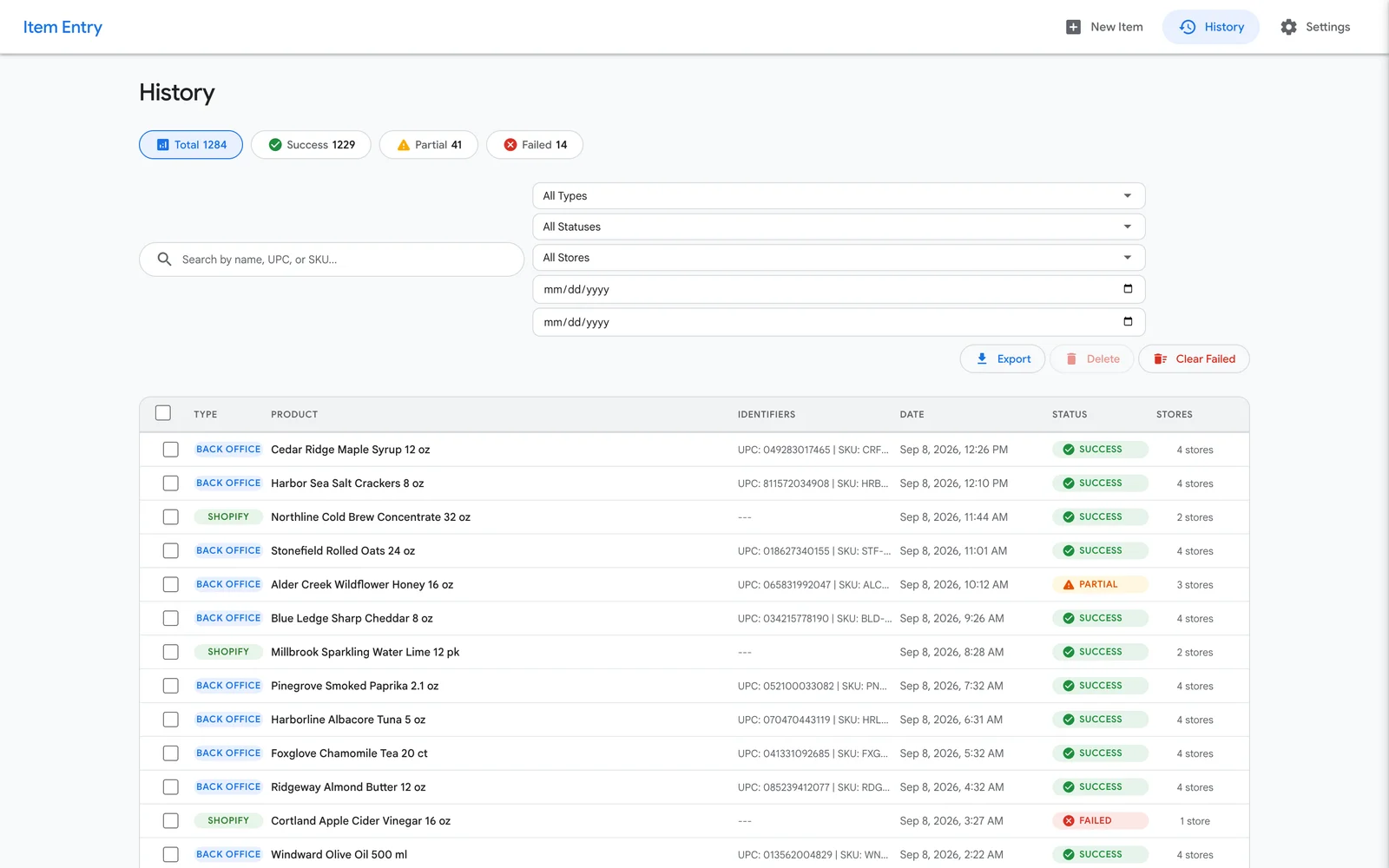
Every submission — typed or imported — is saved with the full form, the destinations it aimed at, the ones that worked and the ones that didn’t, with reasons. The history screen shows a run that reached four of six destinations as partial, not as a pass or a fail, because that’s what actually happened and the person looking needs to know which two to chase.
Why it holds up
- Database updates fix themselves. They re-run at every start-up rather than trusting a checklist, they take turns so two copies can’t clash, and they’re written so a failed one can’t take the app down.
- Passwords are encrypted where they’re stored. Back-office logins and store keys are never handed back out by any screen.
- It bends instead of breaking. If a store rejects a combined request, it falls back to individual ones and reports which parts failed. If a version of the store’s API is retired, it automatically tries the previous two.
- One command to install, update or remove, with the data kept across updates and a status screen showing the running version, the destinations set up, and the pricing formulas in use.
INSIDE THE SYSTEM
What it actually looks like
NEXT
Related work
Stop overselling across every storefront
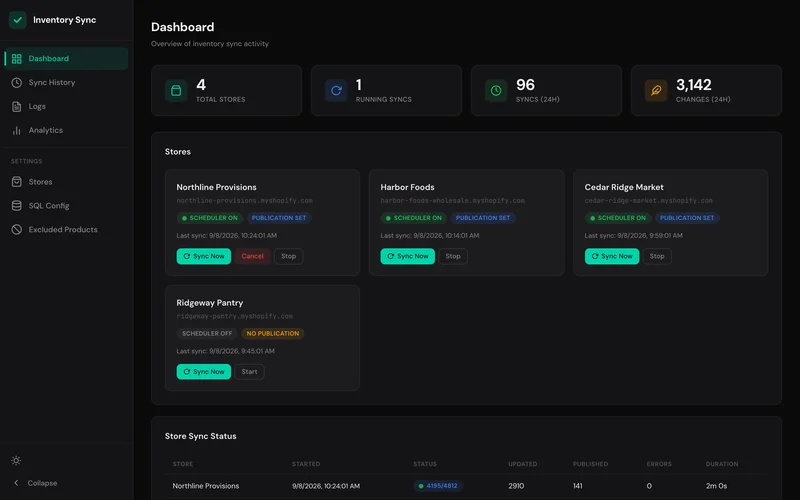
Two customers bought the last one within an hour of each other, on two different stores, because neither store knew the other had already sold it. Somebody had to phone one of them and apologize.
Read the case study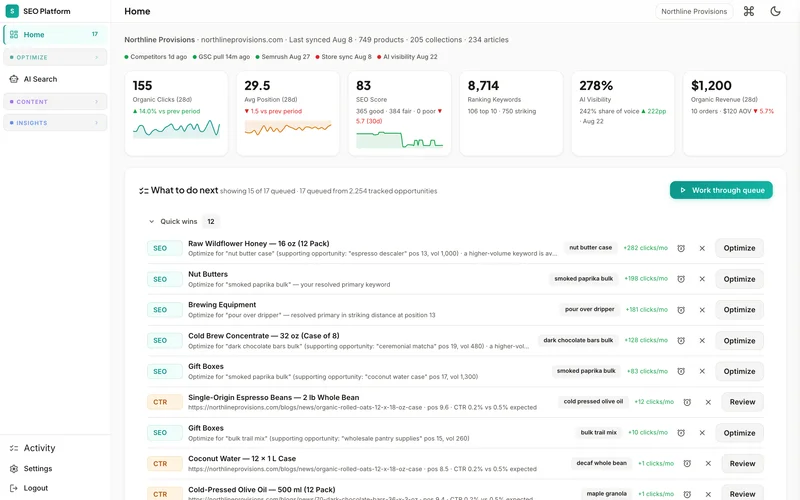
916 catalog pages, scored and rewritten
Somebody exported the catalog to a spreadsheet, hand-wrote descriptions one product at a time, and gave up around item eighty. Image alt text never got written at all.
Read the case study