CASE STUDY · FINANCE AND ACCOUNTING PRACTICE
Statements in, sorted spending out
Four banks, four export formats, one of them a scanned PDF. Now they're dropped in, recognized, read, de-duplicated and sorted from what you corrected last time.
THE PROBLEM
Every bank exports a different shape, one of them only gives you a scan, and somebody spends a day a month turning all of it into rows — then tags the same coffee shop for the four-hundredth time.
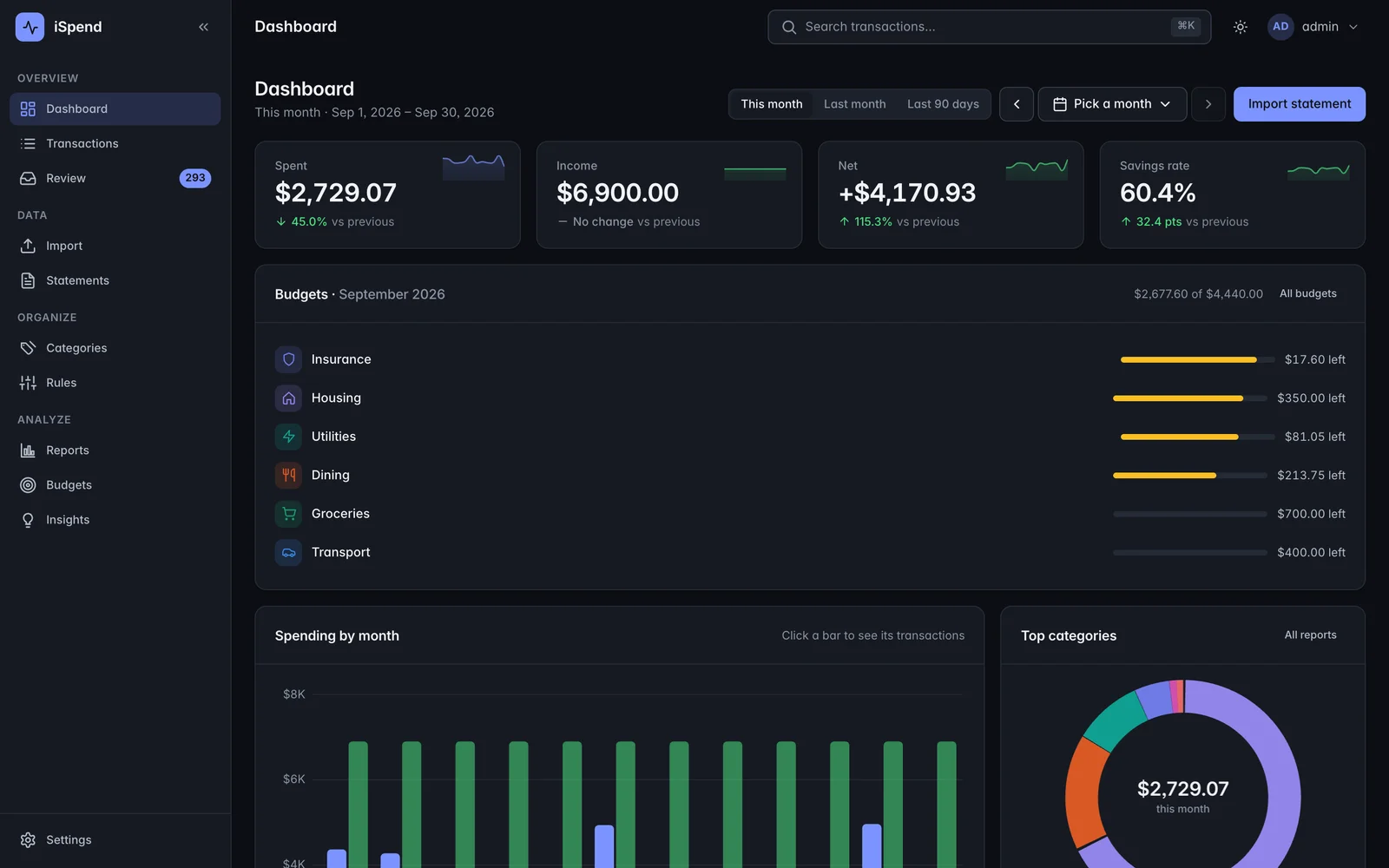
- 12banks recognized
- 4passes before AI is asked
- 0duplicate rows imported
- 409automated tests
The problem
The Sunday-afternoon spreadsheet.
Download twelve months of statements from four banks. Discover that each one lays its columns out differently, that one calls the money-out column “paid out” and another calls it “debit”, and that the credit-card statement is a PDF with no export at all — and on the older accounts, a scan of a PDF.
Retype or paste the rows into a sheet. Flip the signs by hand on the card exports, because they list charges as positive. Tag the same coffee shop as Coffee for the four-hundredth time. Import the same month twice by accident and spend an hour working out why the totals moved. And never notice the small subscription you canceled in March that’s still billing you.
What we built
Drop the files in. That’s the whole thing.
The importer knows twelve banks — eight American and four Canadian — and works out which one it’s looking at by scoring the file against a description of each, rather than a hand-written parser per bank. That description knows the bank’s column headings, whether money out is positive or negative, which columns hold amounts and, for PDFs, its logos, line patterns and section headings. When nothing scores well enough, a general-purpose reader takes over with about sixty ways of spelling nine kinds of column, and picks one date format for the whole column rather than guessing row by row. Scanned PDFs are spotted by how little real text they contain — so a scan buried inside an otherwise readable PDF gets caught too — and are read by OCR before parsing, one at a time so it can’t swamp the server.
Sorting happens in four passes, and the order is the point:
- Your rules — contains, starts with, equals or a pattern, with amount ranges and per-account scope. Applied straight away.
- What it learned from you, exact match. Applied straight away. Every time you correct something, it remembers.
- Near-matches on the merchant name, at a deliberately strict cutoff so it only matches names that are almost identical, never just a part of one. That rule exists so a ride from a company is never mixed up with a food delivery from the same company.
- Built-in hints — several hundred common merchants, longest match wins.
Only what survives all four gets offered to an AI model, in batches, and an AI suggestion is never applied on its own. Suggested rows don’t move money in your totals until a person confirms them, and confirming one teaches the memory.
Duplicates are handled by fingerprinting each row along with a counter, so a re-uploaded file or an overlapping statement gets caught while two genuinely identical charges on the same day both survive.
The result
A day a month of retyping became dropping files into a browser. Statements that couldn’t be imported at all before — the scans — now come in like everything else.
The queue is grouped by merchant, so one keystroke sorts thirty rows, and the system remembers it for good. Because the memory and the rules run before any model does, the cost of sorting falls every month instead of staying flat.
Nothing quietly overwrites anything. Every change is recorded, and a suggestion sits there visibly as a suggestion until somebody accepts it.
Why it holds up
- 409 automated tests across reading files, sorting, duplicate detection, reporting and the API, plus a separate set run against the live system, including contrast and accessibility checks.
- Interrupted work picks itself up. Files are read in the background, a restart waits for that to finish, and anything whose job died is reset on start-up instead of sitting at “processing” forever.
- The installer sizes itself to the machine, working out memory limits and database settings from the server it’s on, backing up the database and the stored statements before every update, and setting up HTTPS with automatic renewal.
- Each user’s data is walled off on every single screen and route, and that’s checked by the tests rather than assumed.
INSIDE THE SYSTEM
What it actually looks like
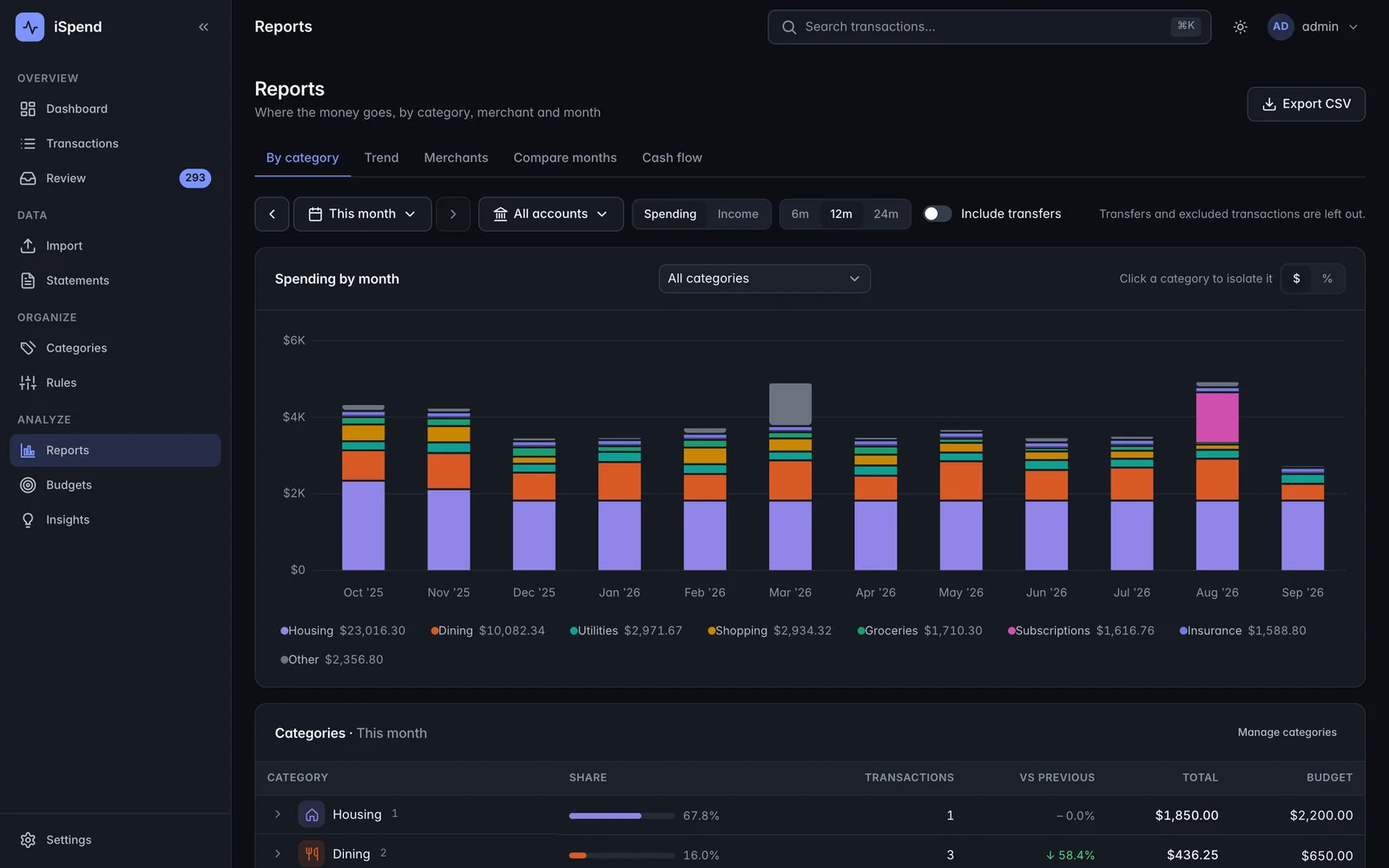
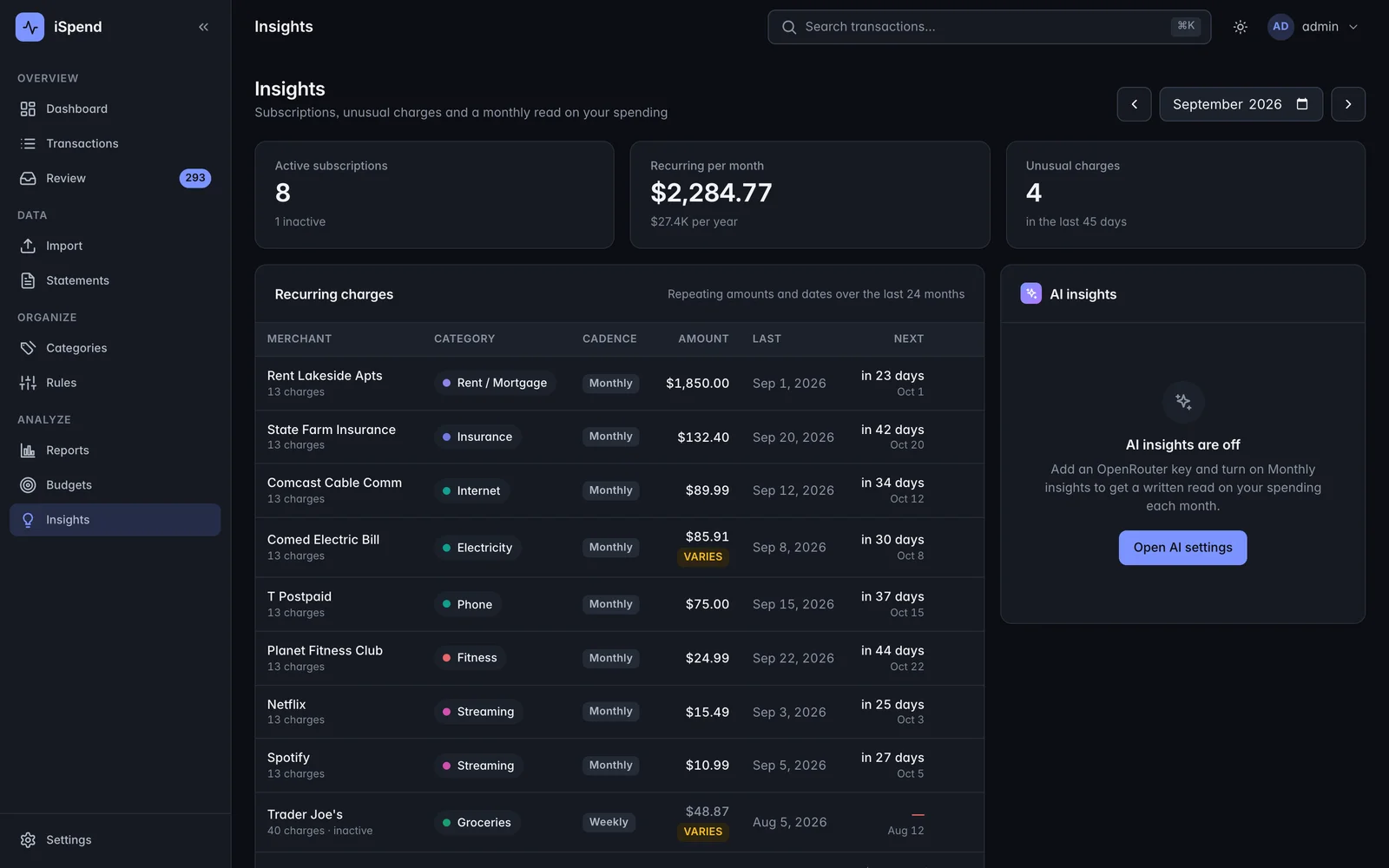
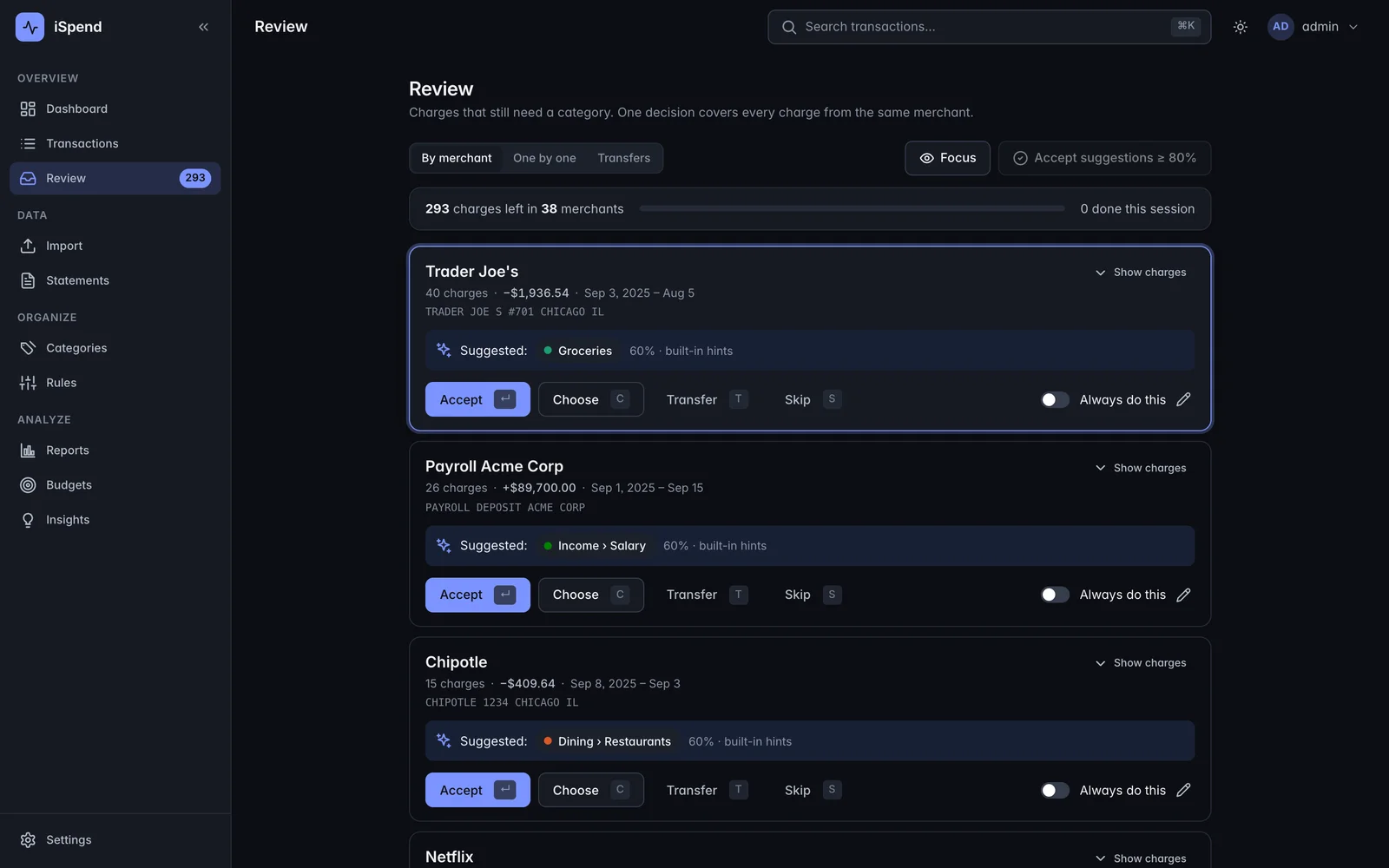
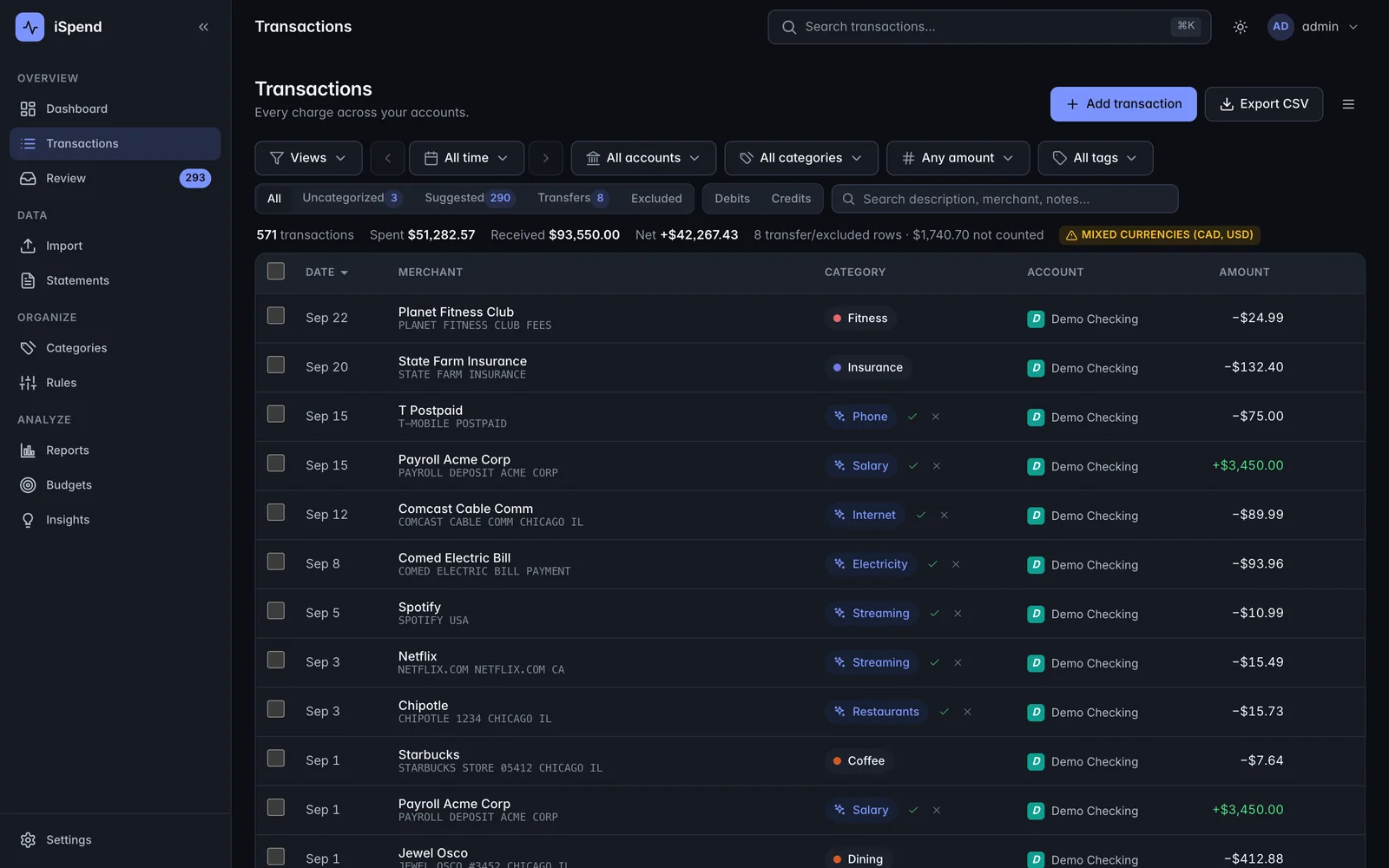
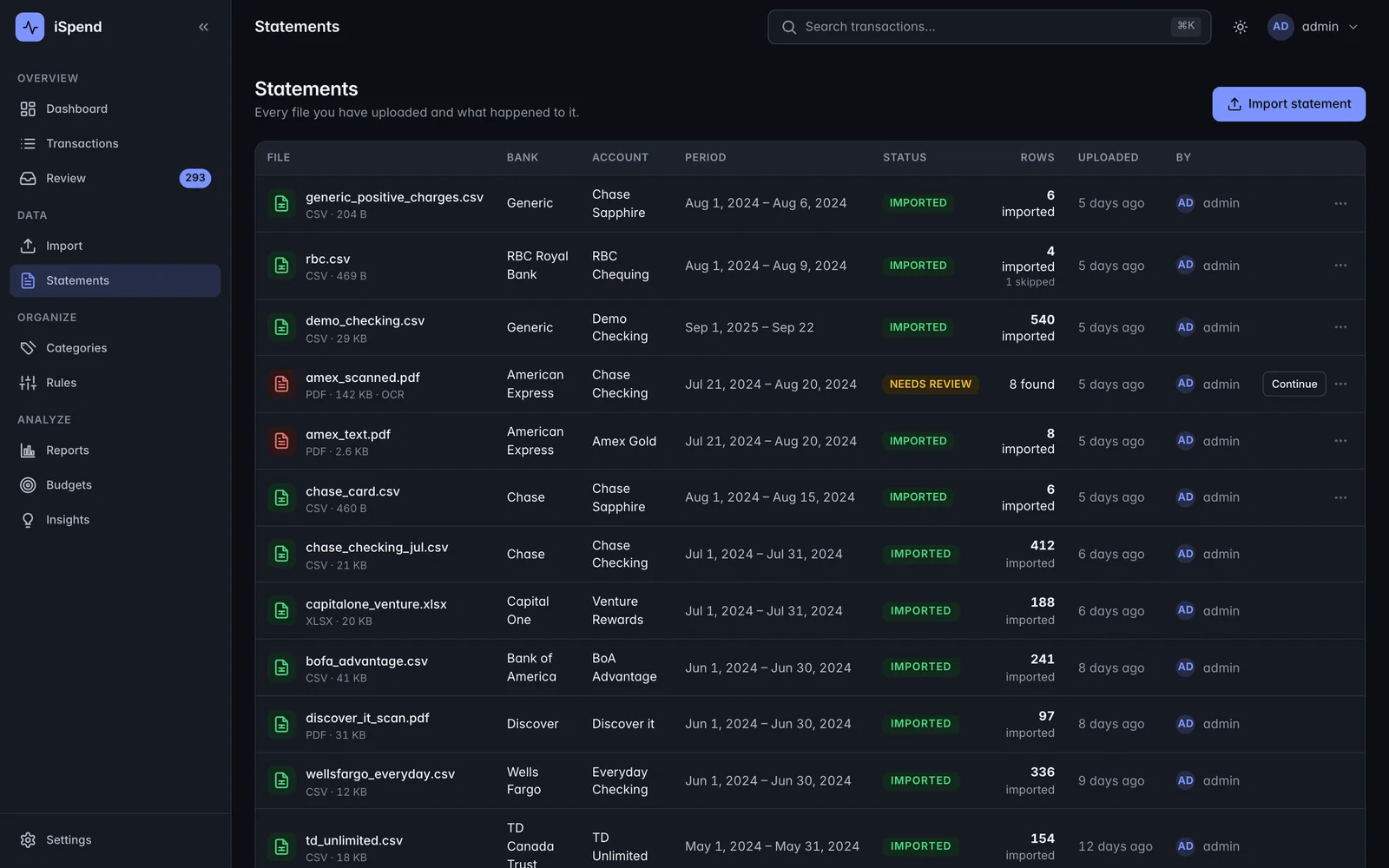
The scanned statements were the ones we could never do anything with. Now they go in like the rest. And it stopped asking me about the same twenty merchants after the first month, which is really the whole thing.
NEXT
Related work

Websites the owner can actually edit
Changing one sentence on the services page meant emailing a freelancer, waiting three weeks, and paying for a paragraph. So the site stopped changing, and then it stopped being true.
Read the case study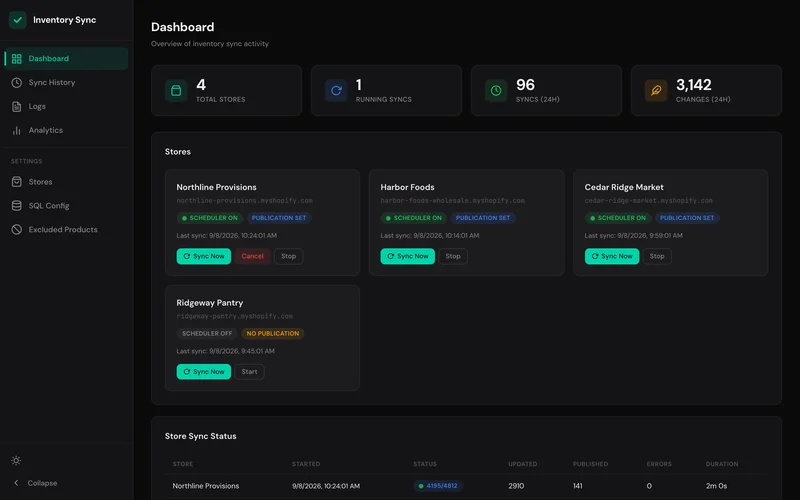
Stop overselling across every storefront
Two customers bought the last one within an hour of each other, on two different stores, because neither store knew the other had already sold it. Somebody had to phone one of them and apologize.
Read the case study