CASE STUDY · REGIONAL FOOD AND CONSUMER-GOODS DISTRIBUTOR
Reorder points that follow real demand
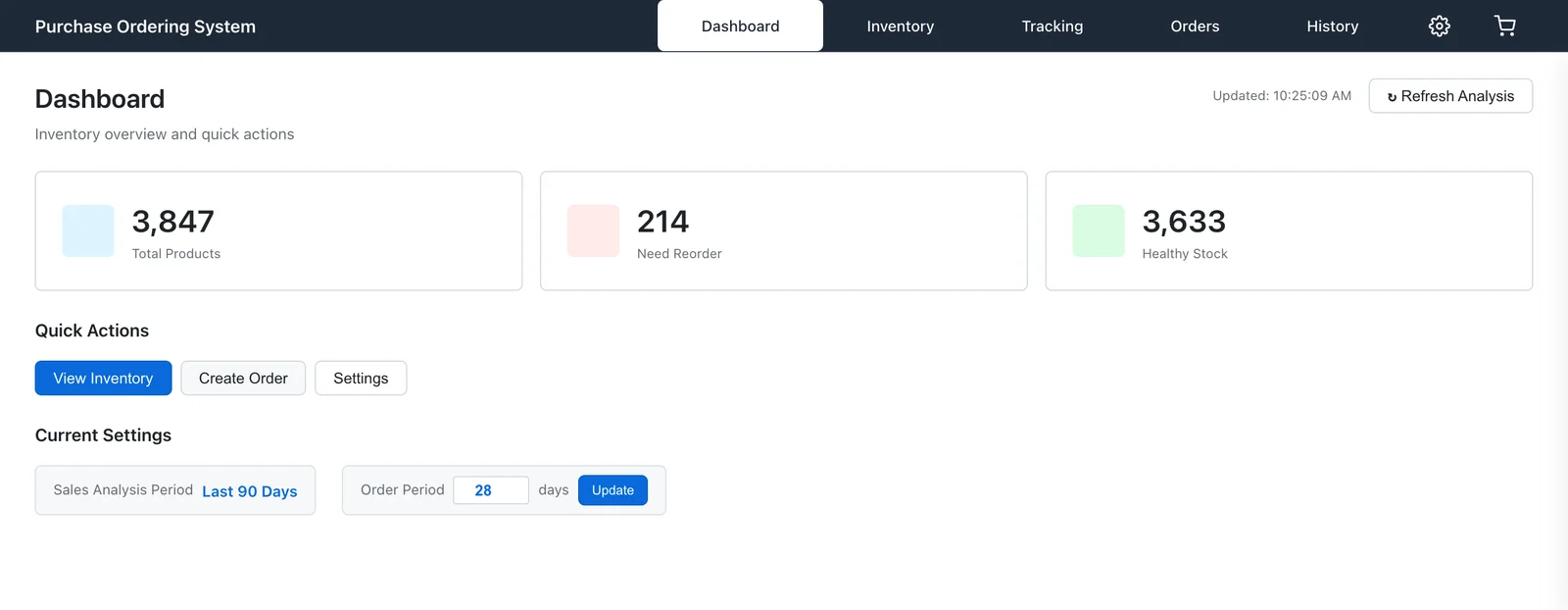
Buying ran on a reorder number somebody typed in years ago. Now every level comes from what actually sold, and a supplier order is two clicks.
THE PROBLEM
The reorder level in the system was a number someone typed once, years ago, for a product that sells nothing like it used to. Everyone knew it was wrong, so everyone ignored it and bought from memory instead.
- 0reorder levels typed by hand
- 7override levers per product
- 2clicks to a supplier order
- 90 daysof sales behind every number
The problem
Buying was a morning of guesswork. Pull an on-hand report. Eyeball what looks low. Try to remember how fast each item actually moves, whether there’s already a truck coming with some of it, and whether a customer quote is holding some more. Divide by the case size in your head. Retype the whole lot into a spreadsheet, format it, email it to the supplier — then key the same order into the ERP a second time by hand.
The system did have a reorder level field. It was a number somebody typed in years ago, when the product sold differently, and everybody knew it was wrong. So the real reorder logic lived in the buyer’s head, which meant it left the building when he did.
What we built
A buying screen where the reorder level is worked out rather than remembered.
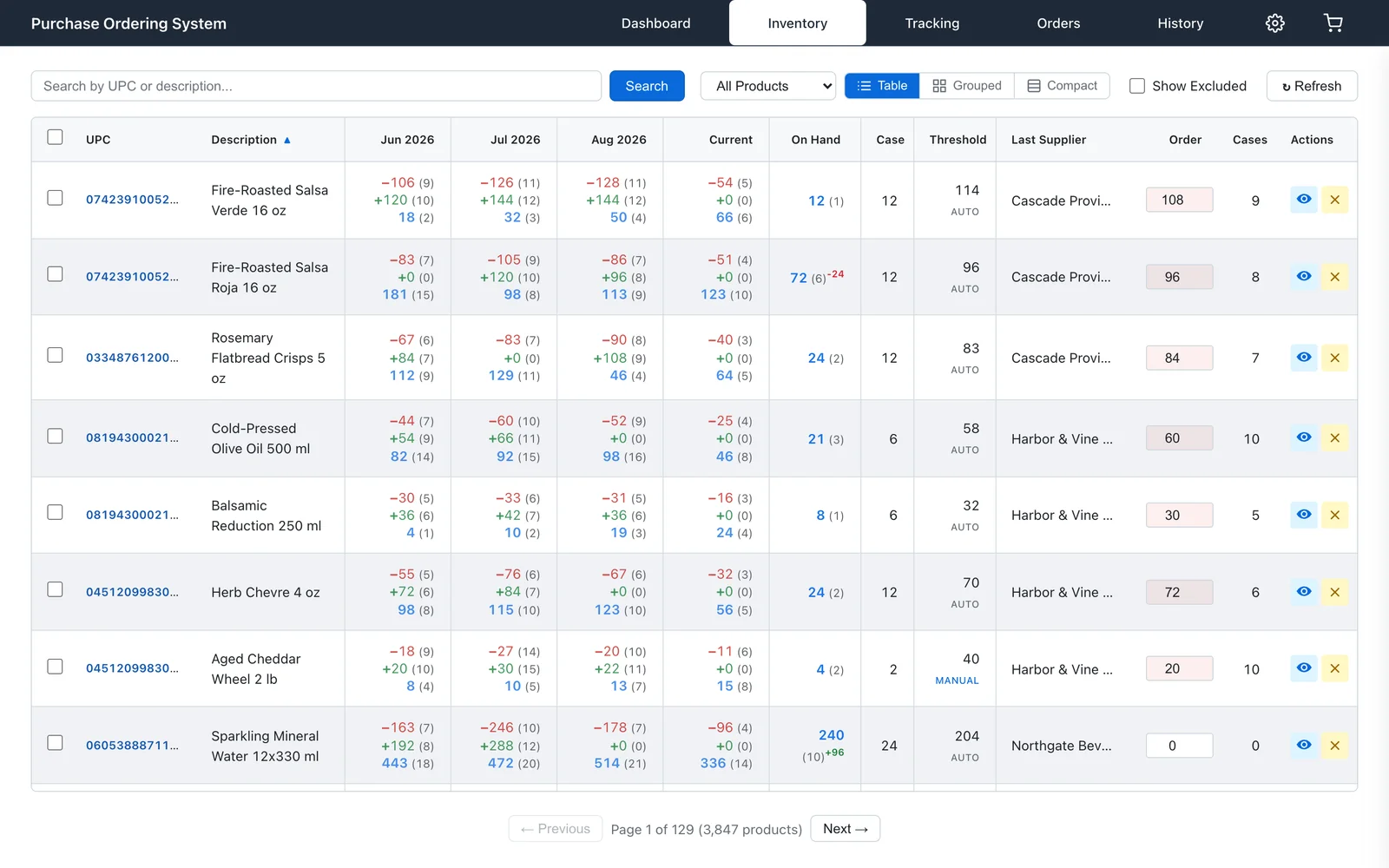
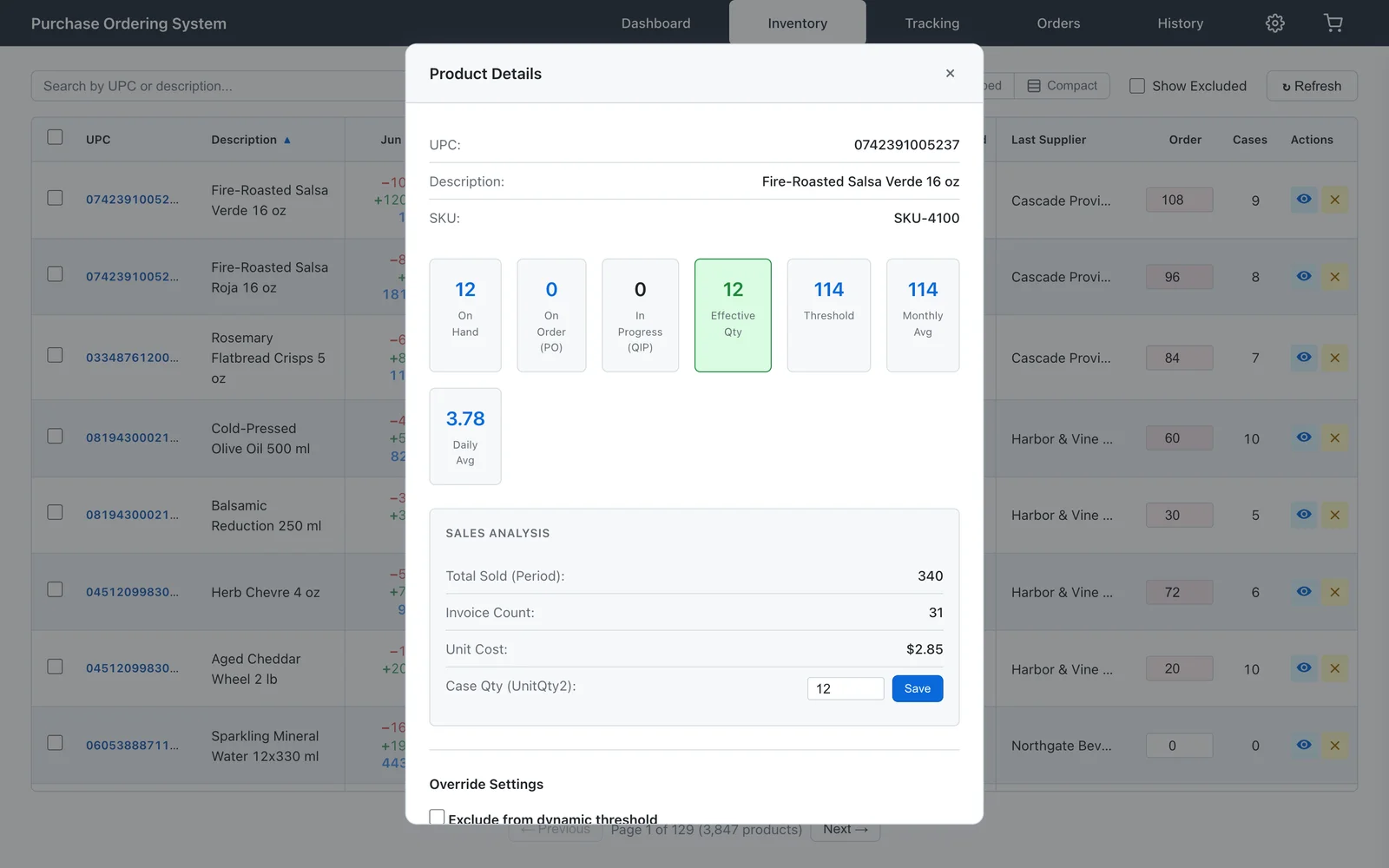
For every product, the system reads real invoice history over whatever window you pick — thirty, sixty, ninety or a hundred and eighty days — and works out how much sells per day and per month, ignoring voided invoices. The reorder level is one month of that, rounded up.
The trigger isn’t just what’s on the shelf, and that’s the part buyers care about:
what you really have = on hand + already ordered - promised to customers
Stock already on its way counts. Stock already promised to a customer doesn’t. An item only shows up on the buy list when that real figure drops below its level, which is why the list stopped including things that were already handled.
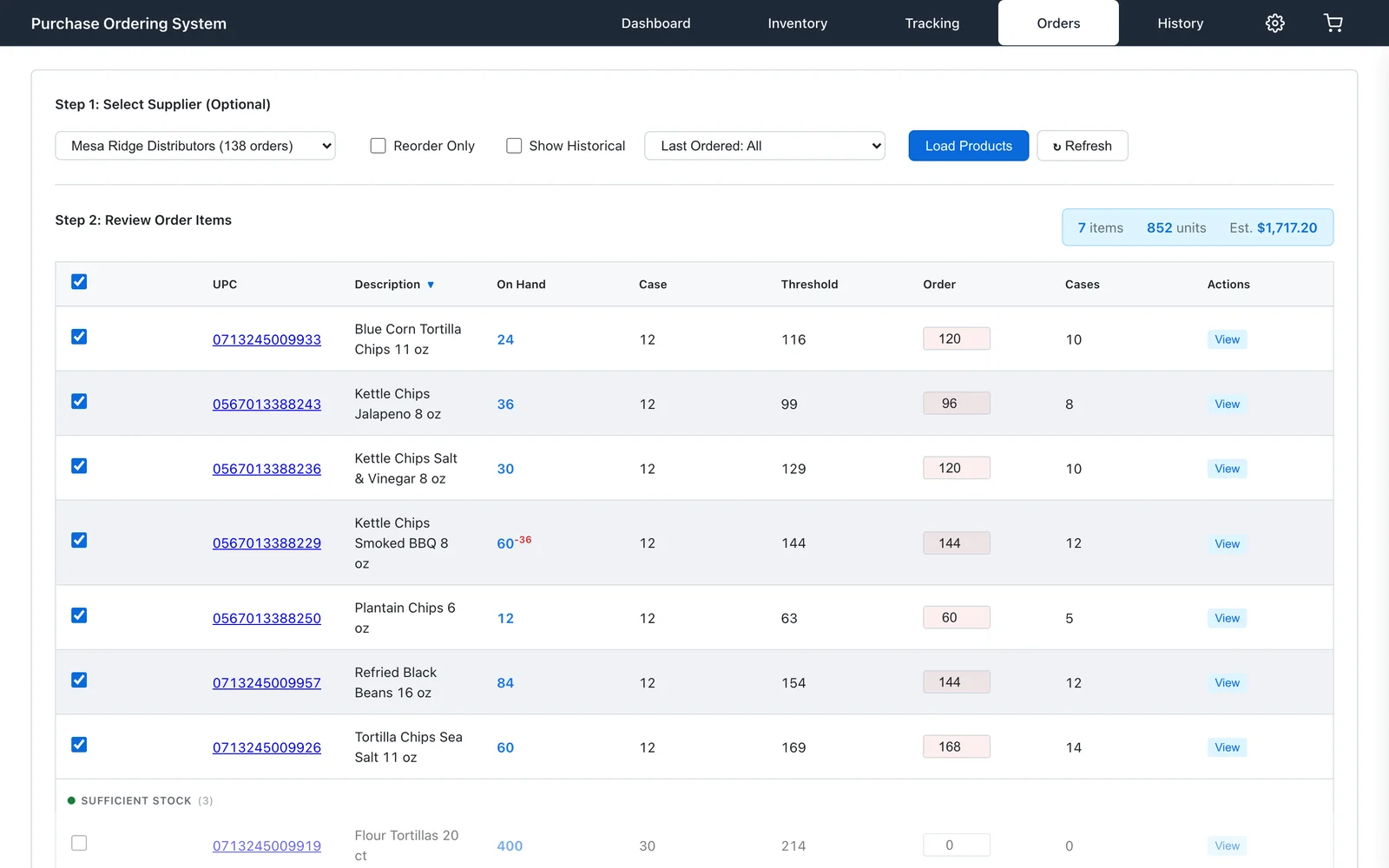
The suggested quantity covers however long you want to cover — usually four weeks — and rounds up to whole cases, because ordering 37 units of something that ships in twelves isn’t an order anybody can place.
Then the buyer’s judgment gets a home. Seven settings per product: pin your own level, fall back to the ERP’s number, leave an item out of ordering entirely while still tracking it, override the quantity, set a longer cover period for something slow-moving, fix a unit cost, or just leave a note. That knowledge used to live in one head. Now it survives that person’s vacation.
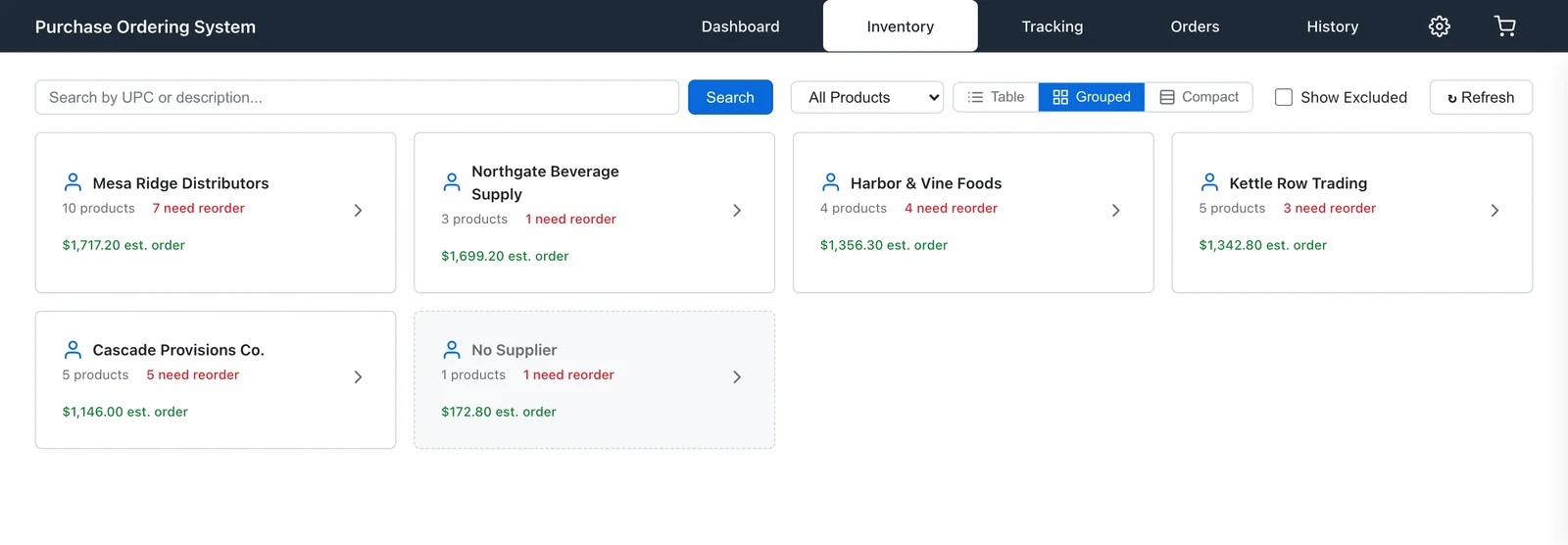
Finishing the order is two clicks: a spreadsheet or PDF the supplier can read, and a real purchase order written straight into the ERP, with product descriptions re-read at the moment of export so the document never goes out with a stale name.
The result
The buy list comes from what sold, not from a field nobody trusts. Stock already coming in and stock already promised out are both counted before an item is suggested, so the list is short and everything on it is real.
The order leaves the building as a proper supplier document and lands in the ERP as a purchase order, in the same action. The double typing is gone.
Six of the first seven months after launch were spent tuning it against real buying, which is the pattern we like to see: a short build, then a long conversation with the people using it every morning.
Why it holds up
- The math is tested. The sell-through and case-rounding logic has its own tests covering the awkward cases — no sales history, a zero-day span, an item sitting exactly on its level, and date boundaries.
- Database hiccups retry instead of crashing. Every ERP query gets three retries at one, two and four seconds, and it tells the difference between a timeout, a lost connection and a genuinely bad query, which fails fast instead of retrying for nothing.
- Database changes apply themselves, safely and on start-up, so an update never needs someone to run a script.
- One command to install, update or remove, keeping the data across updates and asking before it deletes anything.
INSIDE THE SYSTEM
What it actually looks like
NEXT
Related work
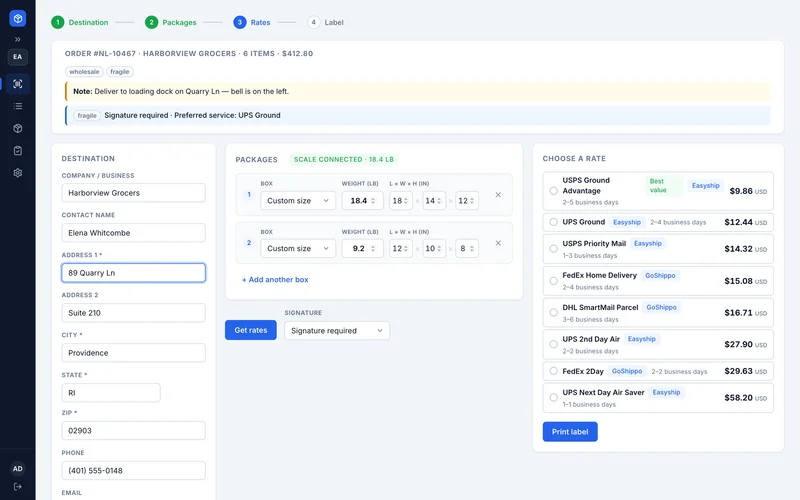
From scan to printed label, one screen
The packer reads the address off one screen and types it into another, weighs the box and types that in too, compares carrier tabs by eye, then goes back into two systems to paste the tracking number. Per box.
Read the case study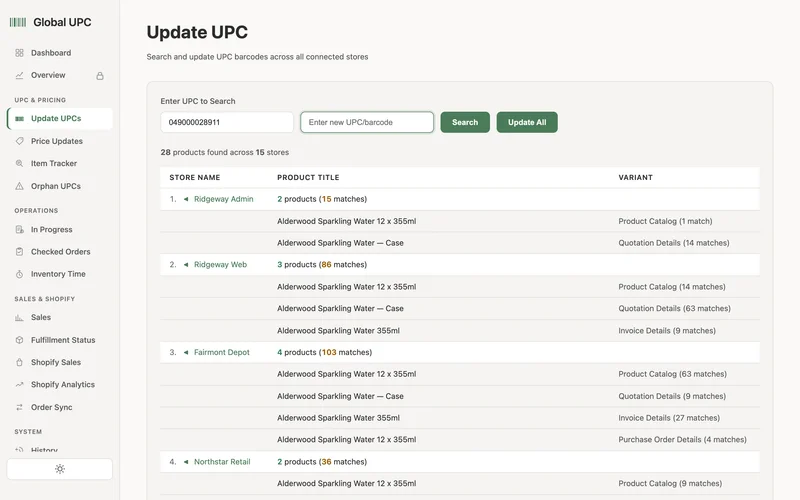
One barcode truth across every system
Changing one barcode meant opening five systems and editing it by hand — and every quote, purchase order and invoice ever raised still carried the old one, forever.
Read the case study